Overview
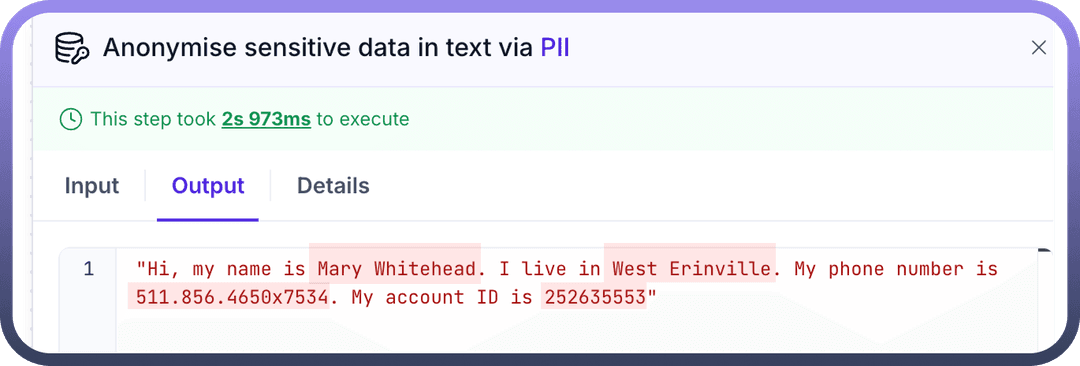
Users' PII or Personally Identifiable Information can be vulnerable to attacks, and therefore, one would like to be able to mask such information.
"PII by UnifyApps solves such use cases where it uses AI to recognise bits of information from the given input text that can be particularly sensitive and masks it by anonymising said information."
.png&w=1080&q=75&dpl=dpl_5H5sj51KgVz3D2yHXDGeMZK5v5yJ)
.png)
Use Case
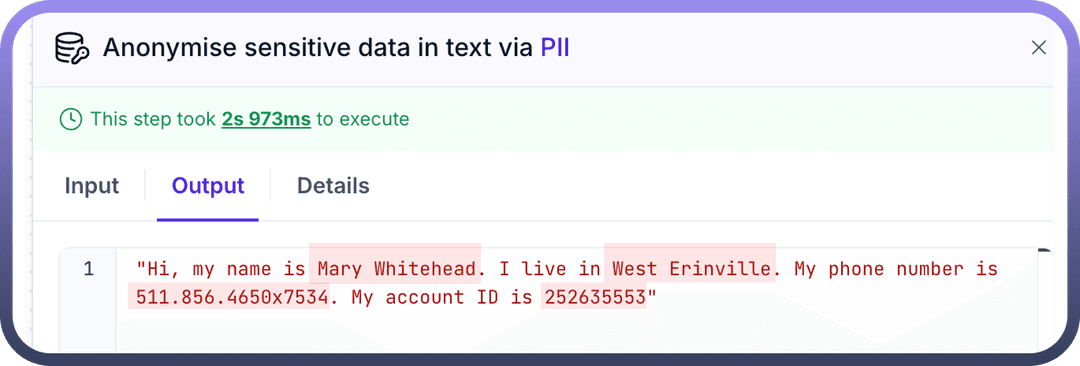
Let's say you want to make a sample database of all your organisation's transactions through Razorpay.
In this scenario, you must mask sensitive information to avoid data misuse.
We fetch the
Account ID,Amount,Bank Details, andEmail IDof the users from Razorpay and use that as input for PII by UnifyApps.Then, the masked data is stored in the Google sheet.
.png&w=1080&q=75&dpl=dpl_5H5sj51KgVz3D2yHXDGeMZK5v5yJ)
.png)
How to mask your data?
Locate the step before which masking is required.
Add
PII by UnifyAppsnode, and select the actionAnonymize sensitive data..png&w=1080&q=75&dpl=dpl_5H5sj51KgVz3D2yHXDGeMZK5v5yJ)
.png)
Proceed to the input tab and enter the text or variables you wish to mask in the input field.
.png&w=1080&q=75&dpl=dpl_5H5sj51KgVz3D2yHXDGeMZK5v5yJ)
.png)
The resultant output will be anonymised and used as a datapill in the downstream automation.